
Everything, included
Powerful where it counts, quiet everywhere else
A full look at what SILONotes does. Every feature here is free and available to everyone, and every screenshot and clip below was captured from the running app.
Highlights
The six worth seeing firstFour notes on screen at once
Split the desktop editor into columns, rows, or a 2x2 grid and work across notes without losing your place in any of them.
A chat that searches instead of sending
SILO Sam gets your question and a set of tools, not your notes. It opens at most five, cites each claim to a note you can open, and shows you what it searched.
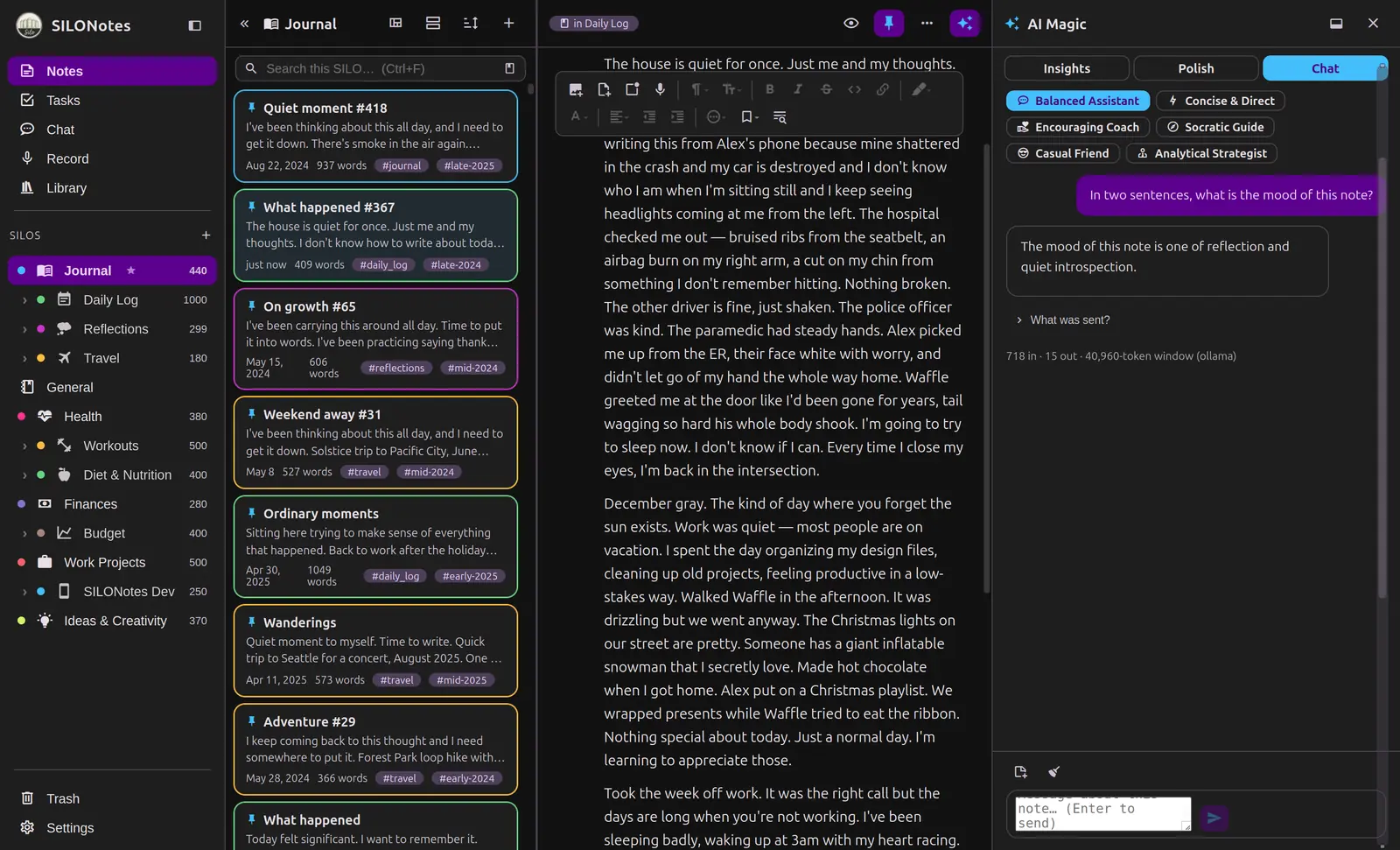
You can see what was sent
Every AI answer carries a token count and a context inspector. Nothing about the boundary is hidden from you, because you drew it.
Tasks that live in your notes
Promote any checkbox and it joins a proper cockpit with due dates, priorities and My Day, while the text stays exactly where you wrote it.
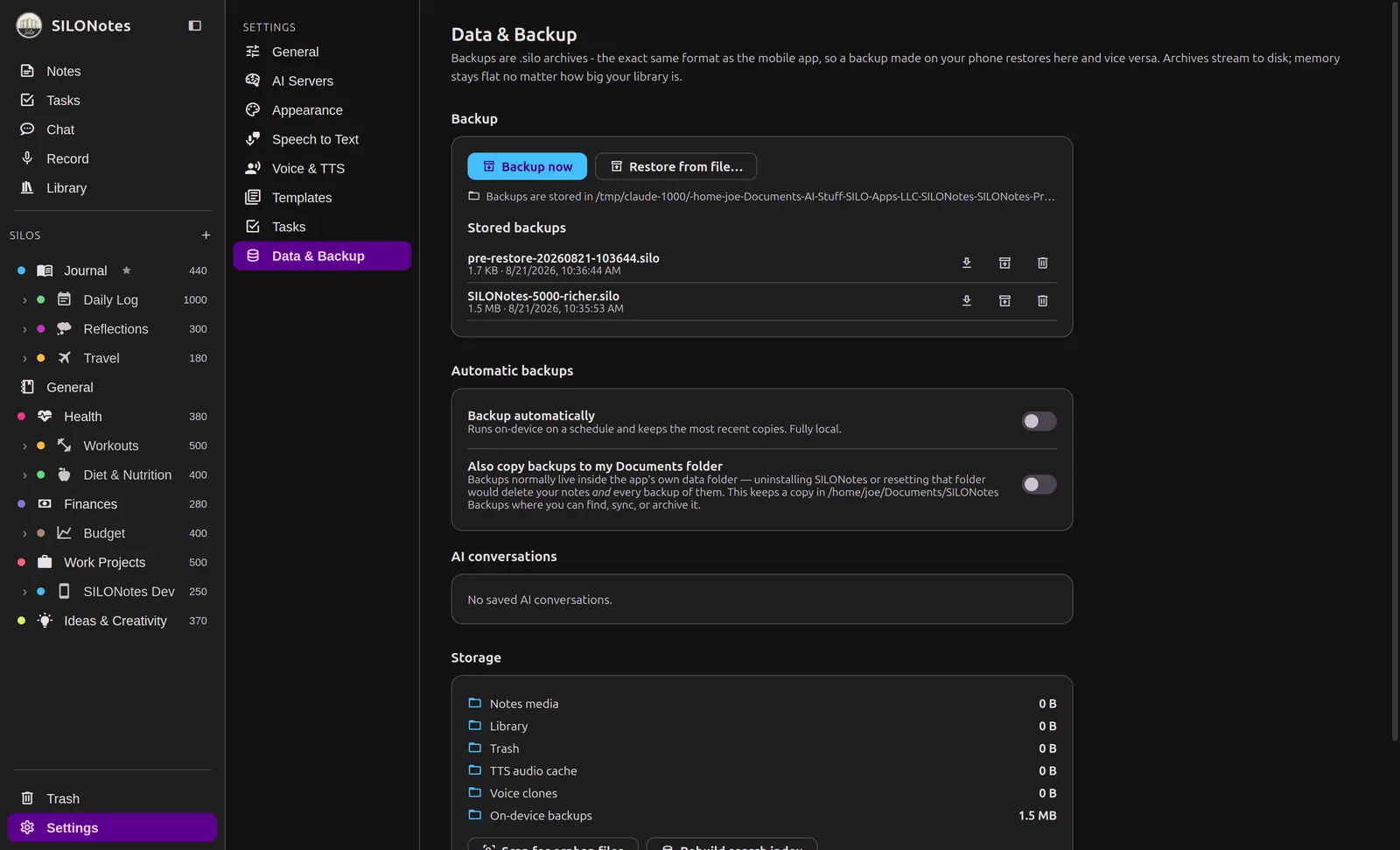
One file moves everything
A .silo archive is an ordinary zip with your notes as JSON and a checksum for every file. Written on your phone, restored on your desktop.
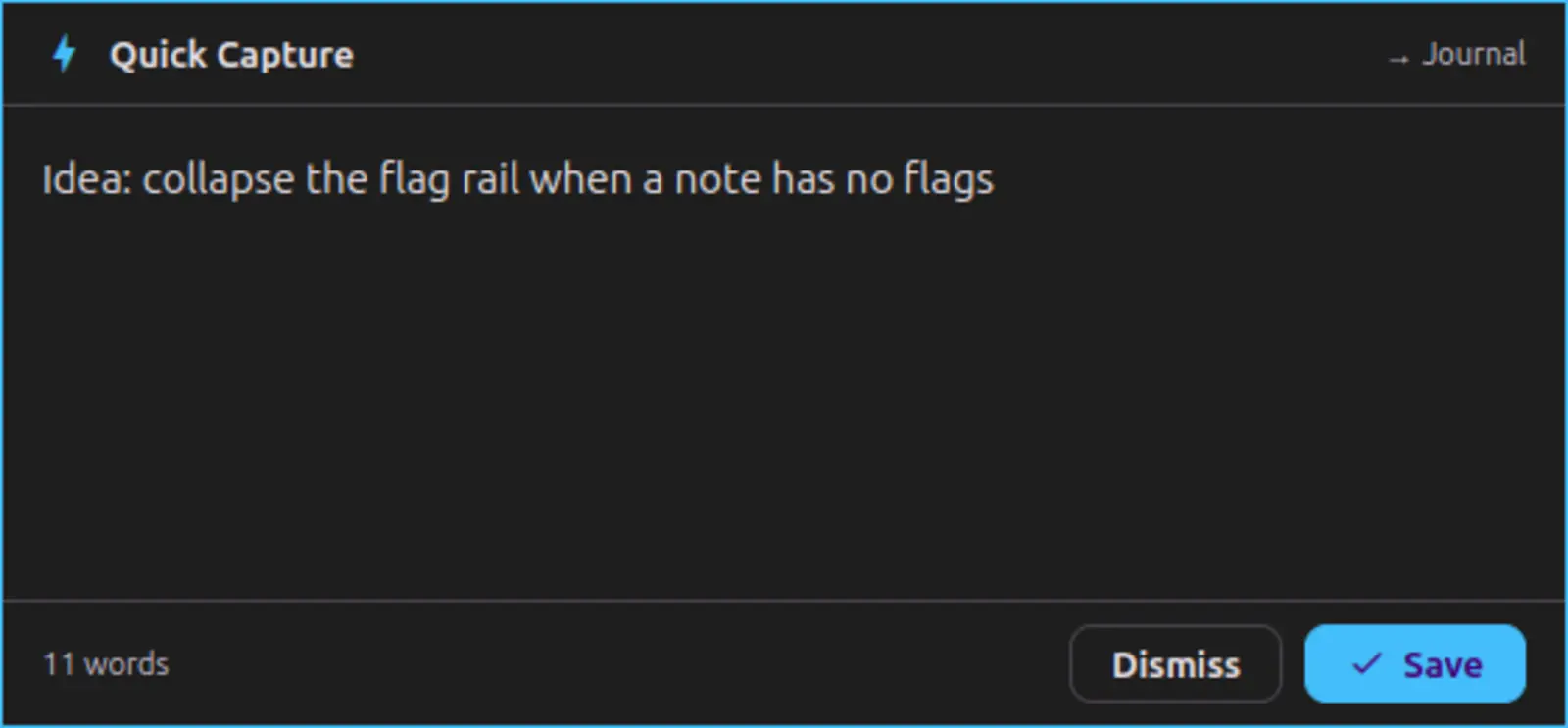
Capture without switching apps
A global hotkey drops a small window over whatever you are doing. Type the thought, press save, and it lands in your default silo.
Block Editor
Offline firstA calm writing surface with real structure. Headings, lists, checklists, images, and audio, all in one place.
Blocks that move with you
Write in clean blocks and rearrange them without fighting raw markdown.
- Headings, paragraphs, bullet and numbered lists, and checklists.
- Reorder, indent, and split blocks with a keystroke.
- A single Enter continues a paragraph, a double Enter starts a new block.
Formatting without the clutter
Bold, italics, strikethrough, code, links, and highlights, with a reading mode that renders it cleanly.
- A simple toolbar and familiar shortcuts like Ctrl or Cmd plus B.
- Per-block font size, typeface, alignment, and highlight color.
- A reading mode shows your note fully formatted, then flips back to editing.
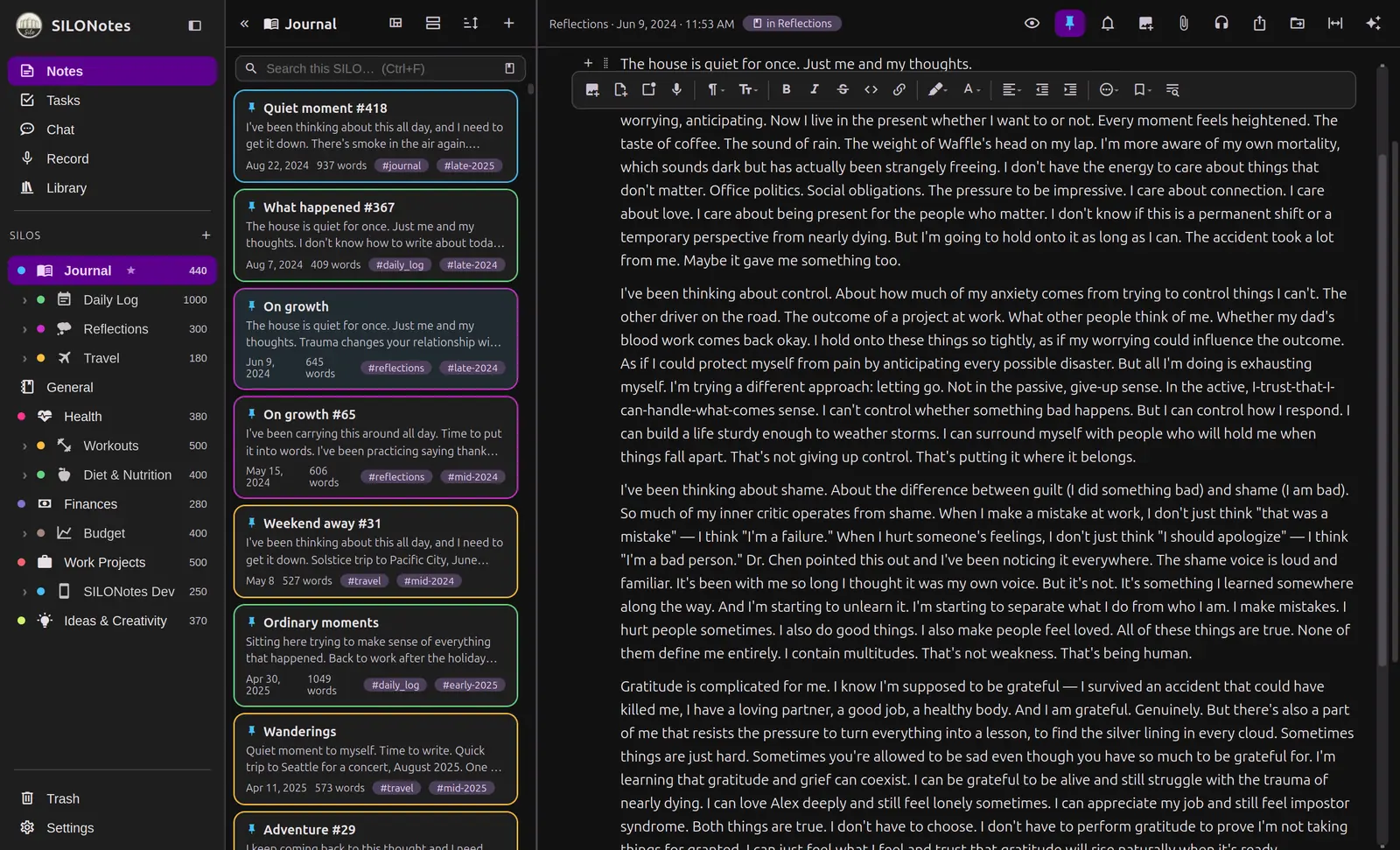
Images and audio, held locally
Attach photos and recordings that live in your own storage, not a vendor cloud.
- Embed images and voice recordings right inside a note.
- Play the original audio next to its transcript.
- Copy media into SILONotes storage, or link to a file you already keep.
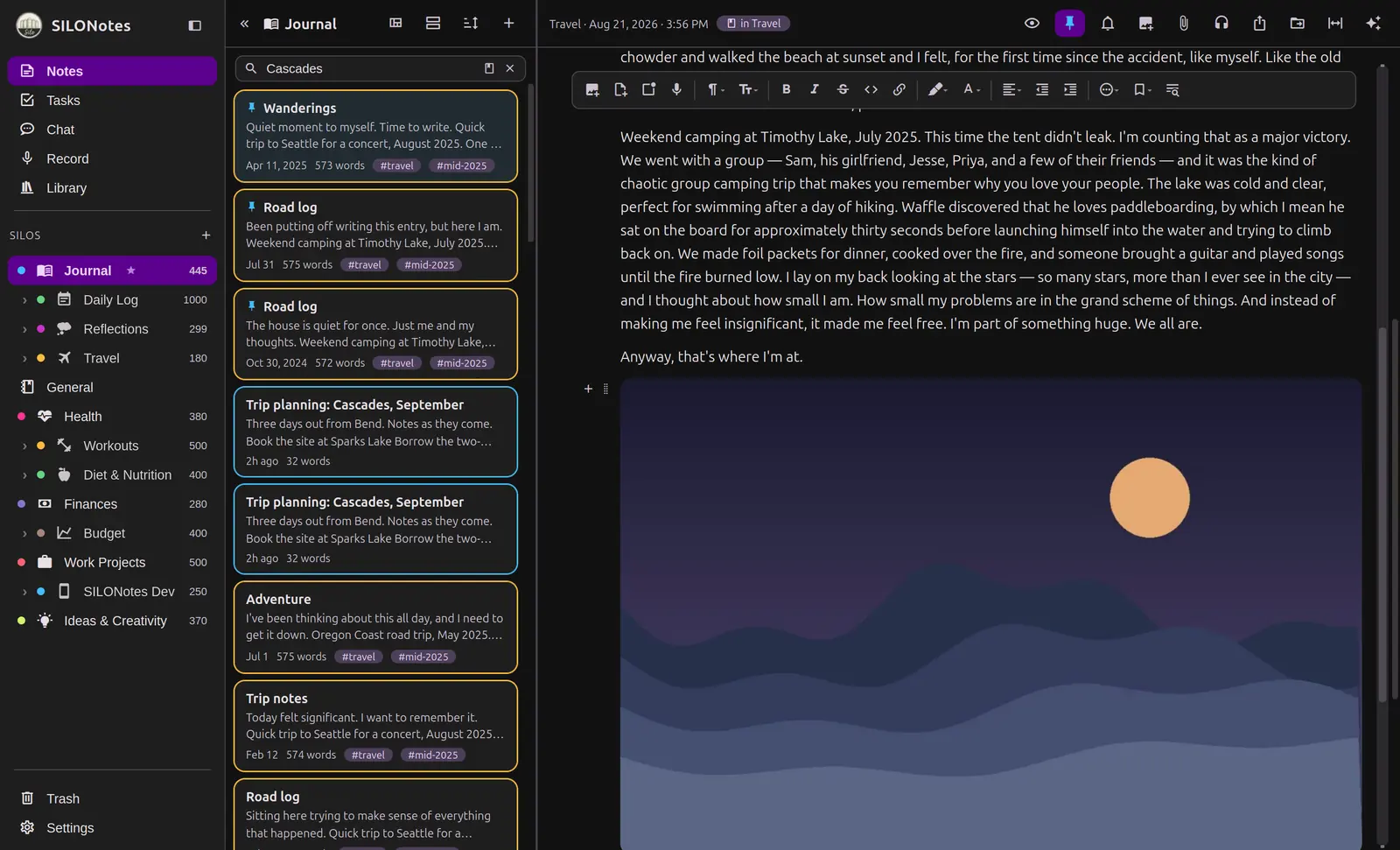
Six themes, and a typeface that helps
A page that suits your eyes, on both apps.
- Vintage, Light, Dark, Sepia, Cyberpunk and Pastel, or follow your system.
- OpenDyslexic is one of the typefaces you can pick, and it ships with the app, so it works offline.
- Text size is yours to set, including in chat on the phone.
- Build a custom palette and the app derives readable text for it.
Silos and Organization
Sorted your wayGive every part of your life its own quiet compartment, and find anything in a second.
Private silos for each part of life
Journal, health, work, and ideas each get their own home, with their own templates and settings.
- Create as many silos as you like, and nest sub-silos one level deep.
- Give each a color and an icon so it feels like its own space.
- Set a default silo so new notes land where you expect.
Tags that route themselves
Write a hashtag in a note and it quietly joins the matching silo.
- Inline hashtags become tags as you type.
- A note tagged for a silo shows up there without moving it.
- Filter and browse by tag across your whole library.
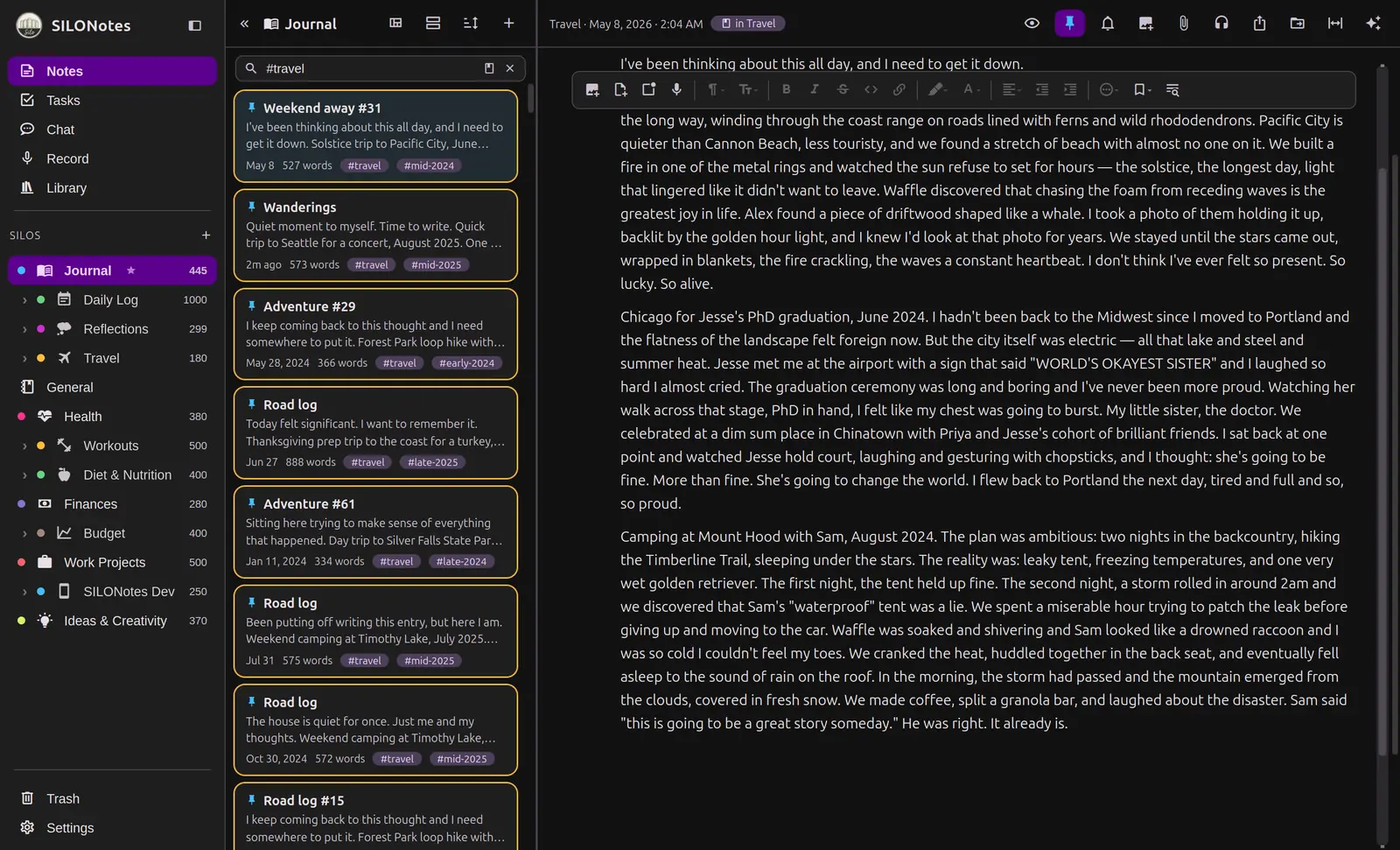
Search, pins, and layouts
HighlightFull-text search finds every word, and the note list bends to how you like to work.
- Fast search across notes and book chapters.
- Pin the notes you return to, and sort the way you prefer.
- Choose from six list layouts, from a compact list to a gallery to a timeline.
The Task Cockpit
Promote any checkbox and it joins a proper cockpit, while the text stays exactly where you wrote it.
- Due dates, times, and priority flags, including ones you name yourself.
- A My Day view for what you actually mean to do today.
- Filter by silo, group how you like, and get an optional morning digest.
- Tick it in the note or tick it in the cockpit. It is the same checkbox.
Voice and Dictation
Private speechSpeak your notes and keep the words. Transcription runs on your own terms, not a notes vendor cloud.
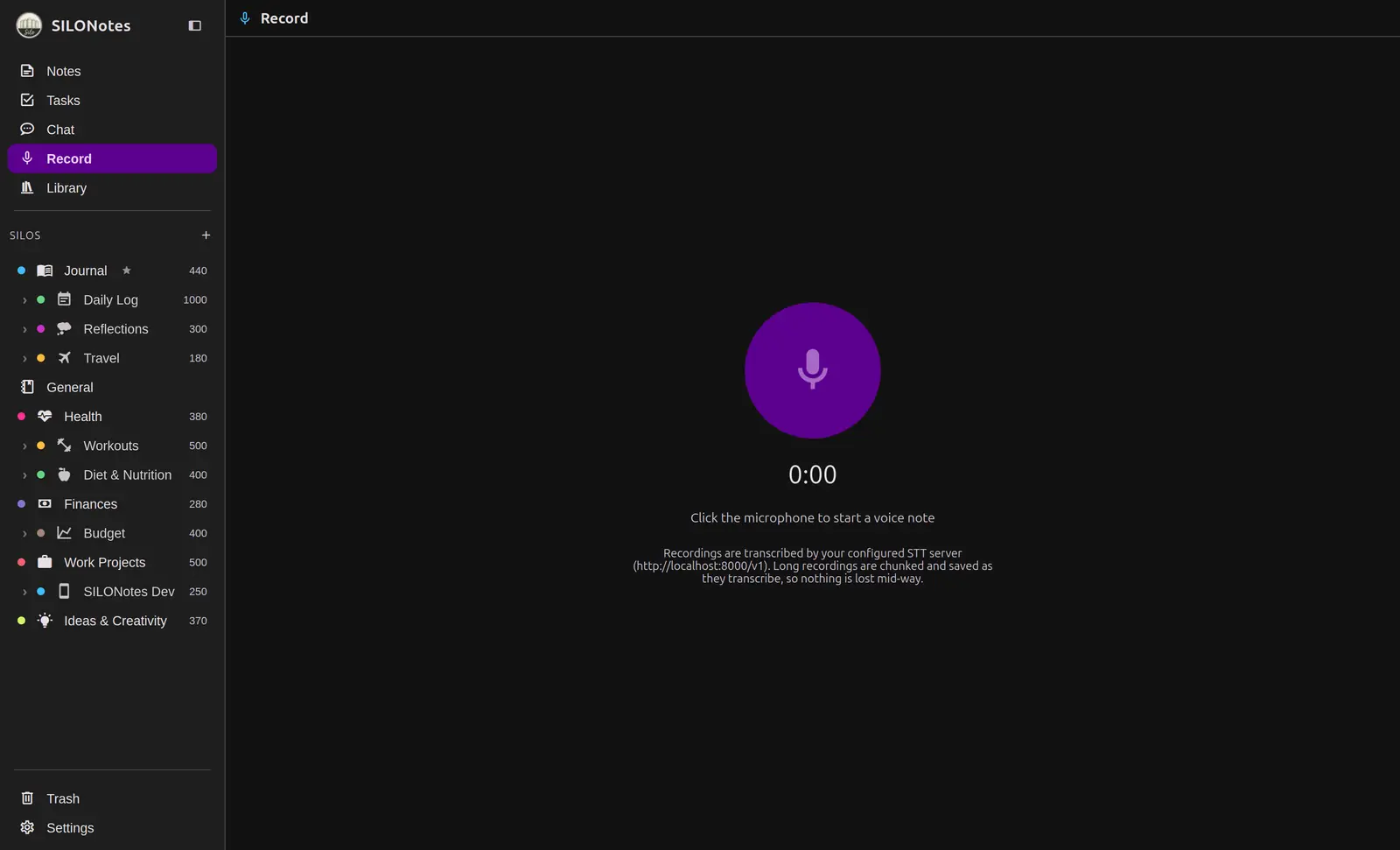
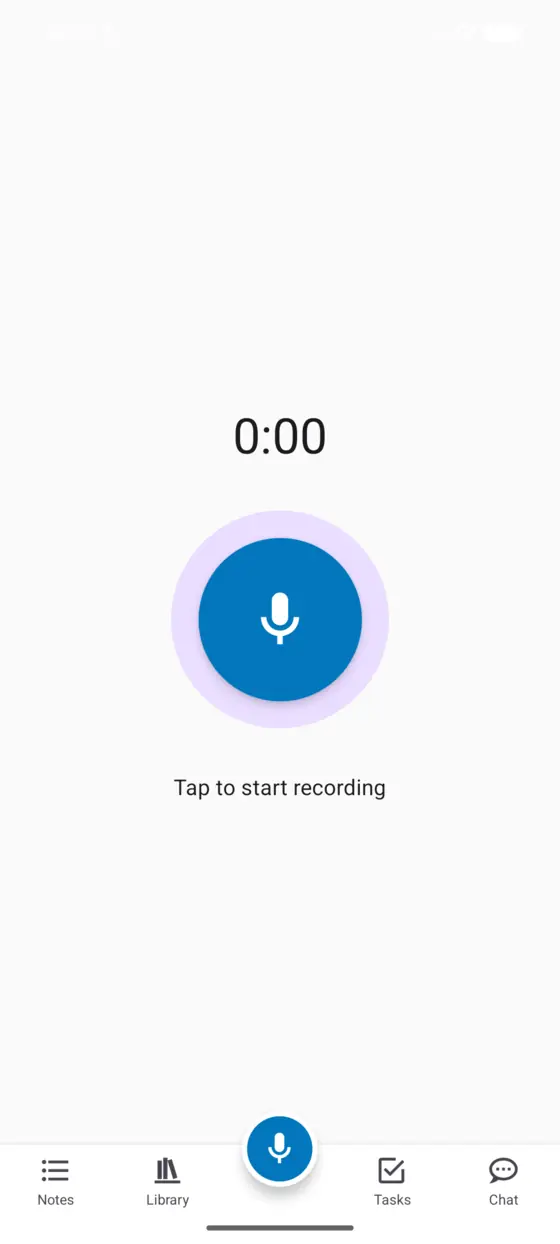
Record and transcribe
Capture a thought hands-free and get clean text back.
- Record straight into a note, even with no connection.
- Transcribe on device, or through a speech server you choose.
- Long recordings are split and saved as they go, so nothing is lost.
Playback that follows the text
Jump from a paragraph back to the exact moment in the recording.
- Tap a line to seek the audio player.
- Adjust playback speed and scrub freely.
- Audio is stored efficiently in your local library.
AI, On Your Terms
You hold the keysThe app is complete without it. When you want help, you decide what leaves the page, and where it goes.
Templates for each silo
Different homes can call for different help, and you write the instructions in plain language.
- A journal can pull out mood, weather, and intentions.
- A health log can read a meal or workout into fields.
- A ledger can sort spending from a sentence.
SILO Sam
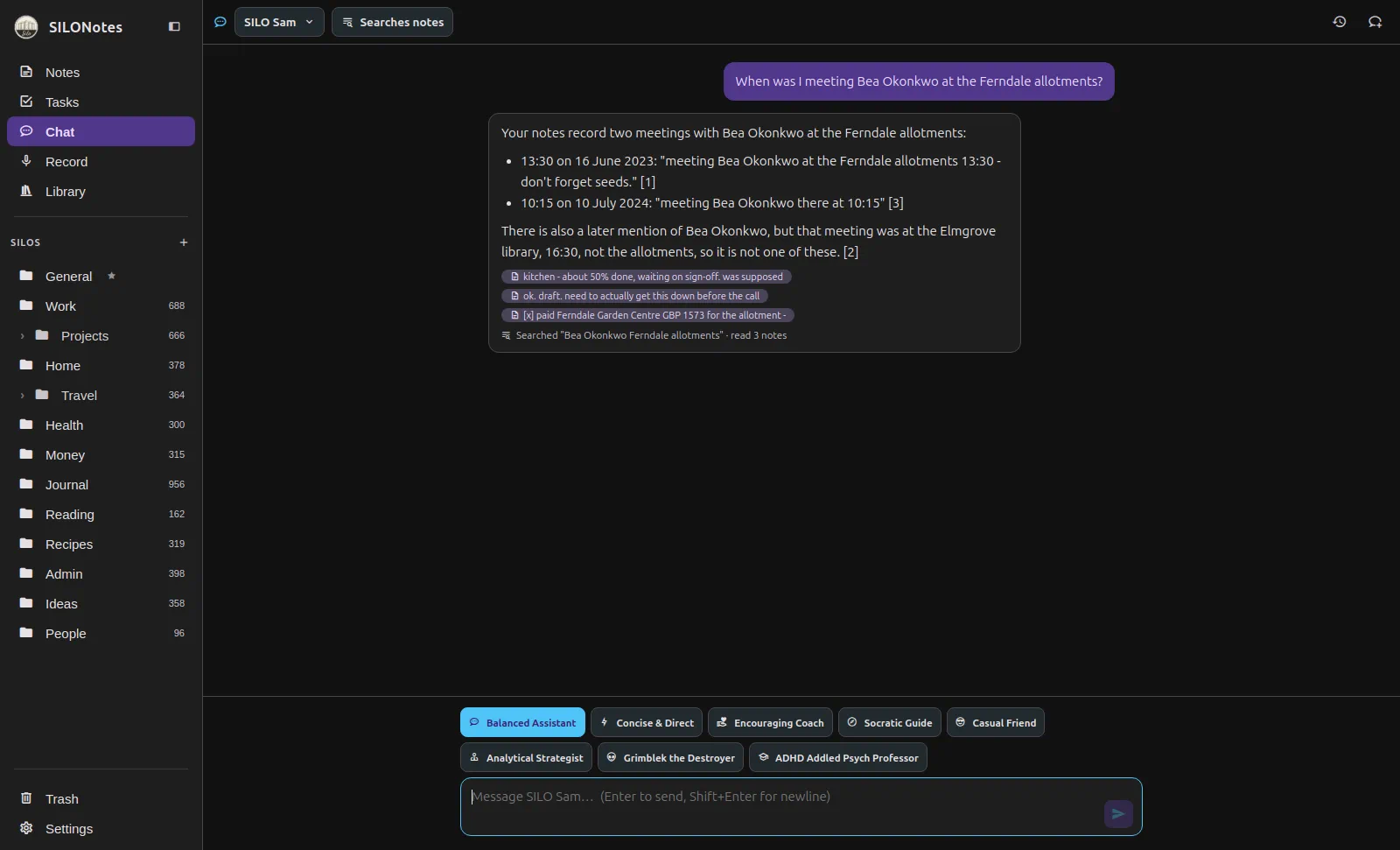
HighlightA chat that searches your notes instead of sending them, and cites every claim to a note you can open.
- Your notes are never put into the prompt up front. Sam searches, then opens at most five.
- Every claim carries a chip that opens the note it came from, and a trace line shows what it searched.
- It does not total figures, guess a name that is nearly right, or pick between notes that disagree.
- No index to build and no embeddings to install. It uses the search already in your database.
Full context, when you want it
Hand-pick a set of notes, or point at a SILO, and send the whole thing.
- For comparing three notes rather than finding one.
- The app estimates the tokens before you send, and tells you plainly if your model cannot hold it.
- Optional web search through a door you choose: your own SearXNG, your own Brave key, or your provider.
- Polish and insight tools help you tidy and understand a single note.
Deep Insights
An opt-in run over one note that goes three times rather than once, because one pass drops things.
- First it pulls a ledger of every figure, date, name and decision in the note.
- Then it searches your library for related notes, reads at most five, and names the connections and the contradictions.
- Then it writes the template you chose over all of it, with nothing from the ledger dropped.
- The button tells you what the run will cost before it starts.
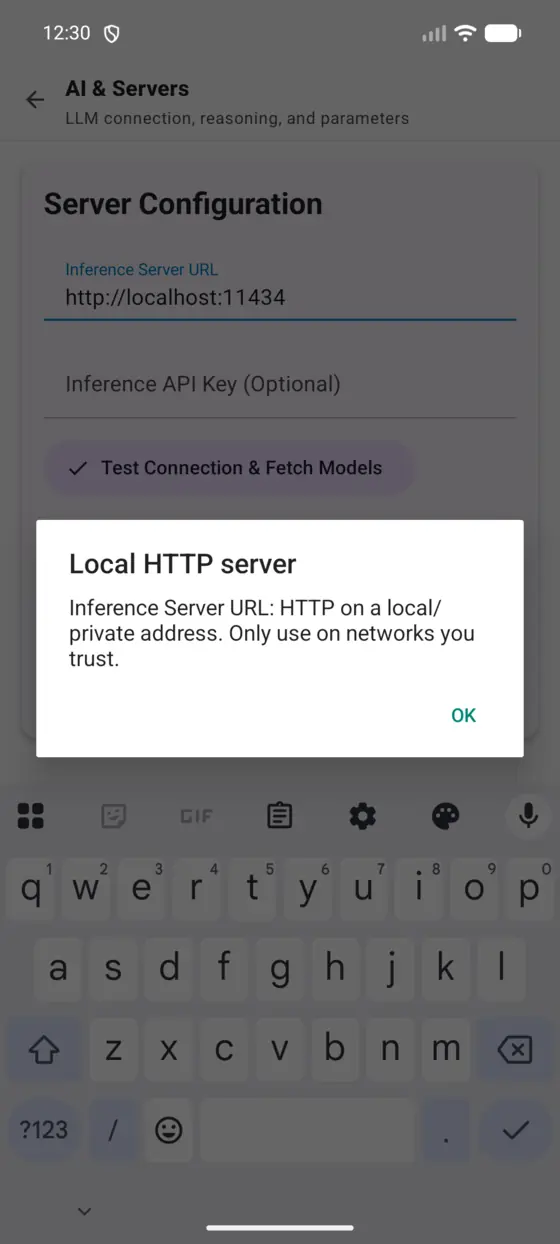
Your model, or your keys
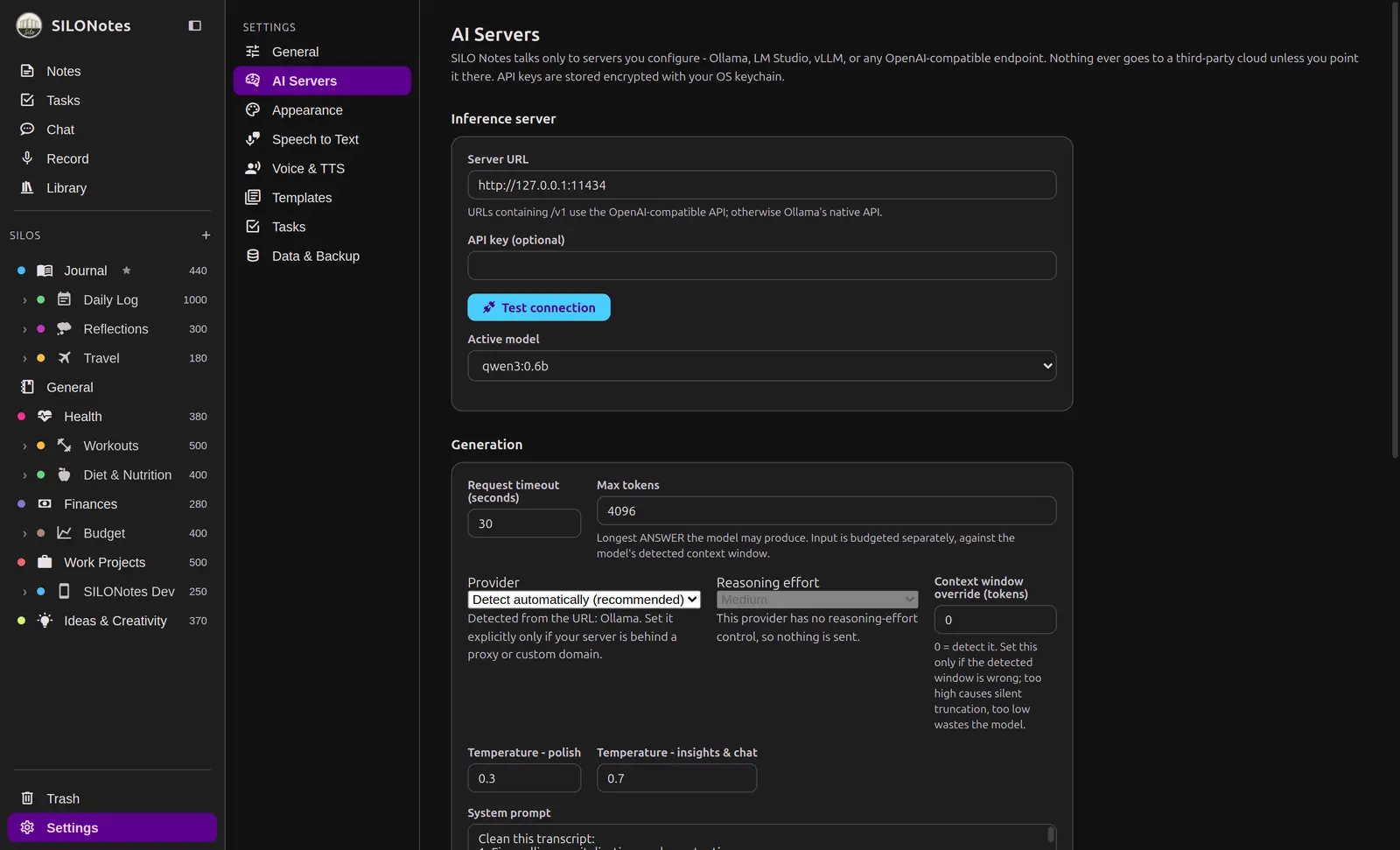
HighlightPoint SILONotes at a server you run, or bring keys for a provider you already trust.
- Works with Ollama, LM Studio, vLLM, and other OpenAI-compatible servers.
- Bring your own keys for providers you use today.
- Only the text you submit for a run is ever sent, never your whole library.
Reader and Library
Deep readingBring long-form reading into a focused, offline room that lives beside your notes.
Import and read
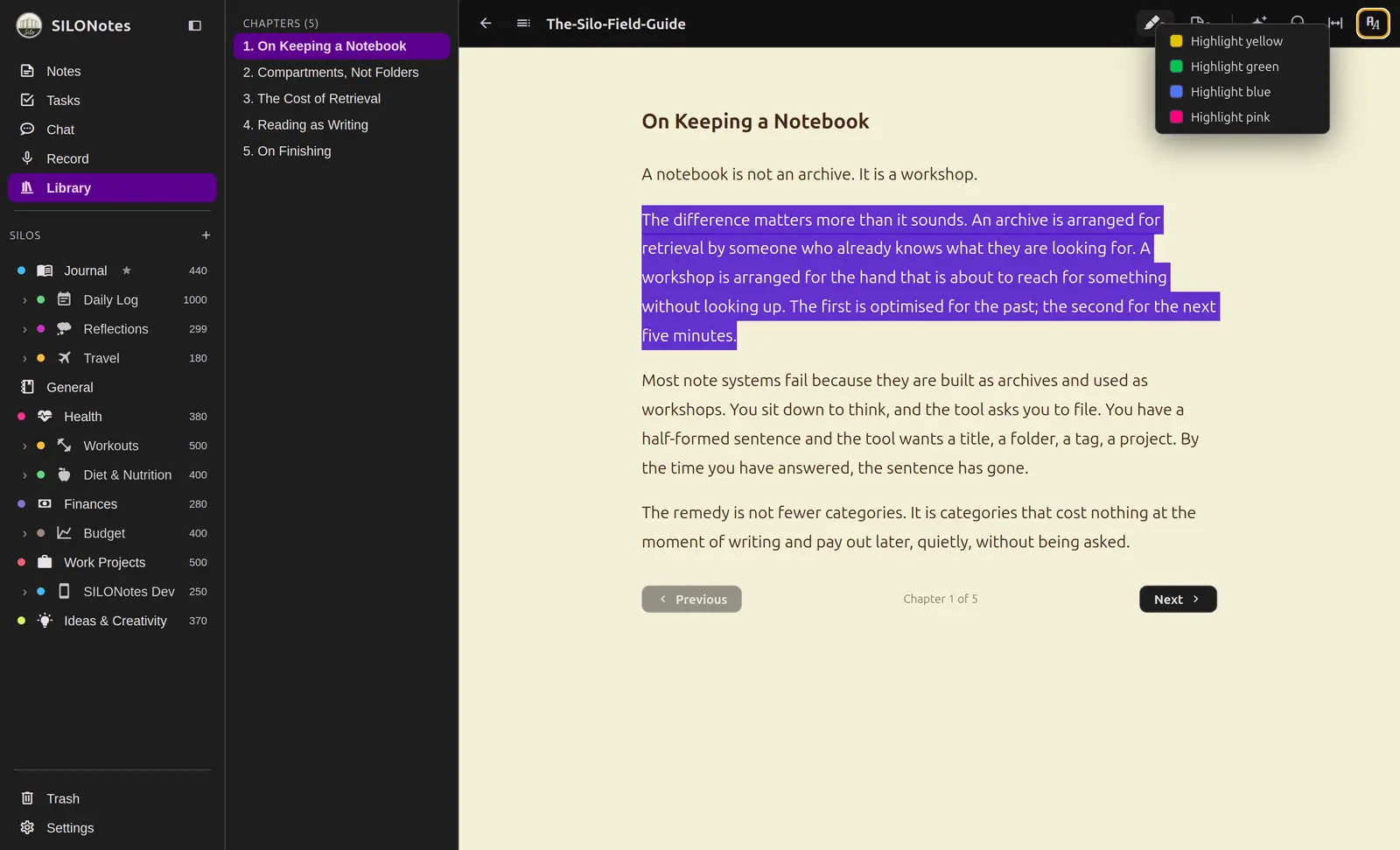
Add books and documents and read them in a calm, paginated reader.
- Import EPUB, DOCX, PDF, and plain text.
- Chapters are stored locally, searchable, and easy to back up.
- Resume each book right where you left off.
Highlights and margins
Mark passages and keep them without leaving the page.
- Select text to highlight in a choice of colors.
- Highlights travel with your backups.
- Reader themes and fonts match the rest of the app.
Listen and Text to Speech
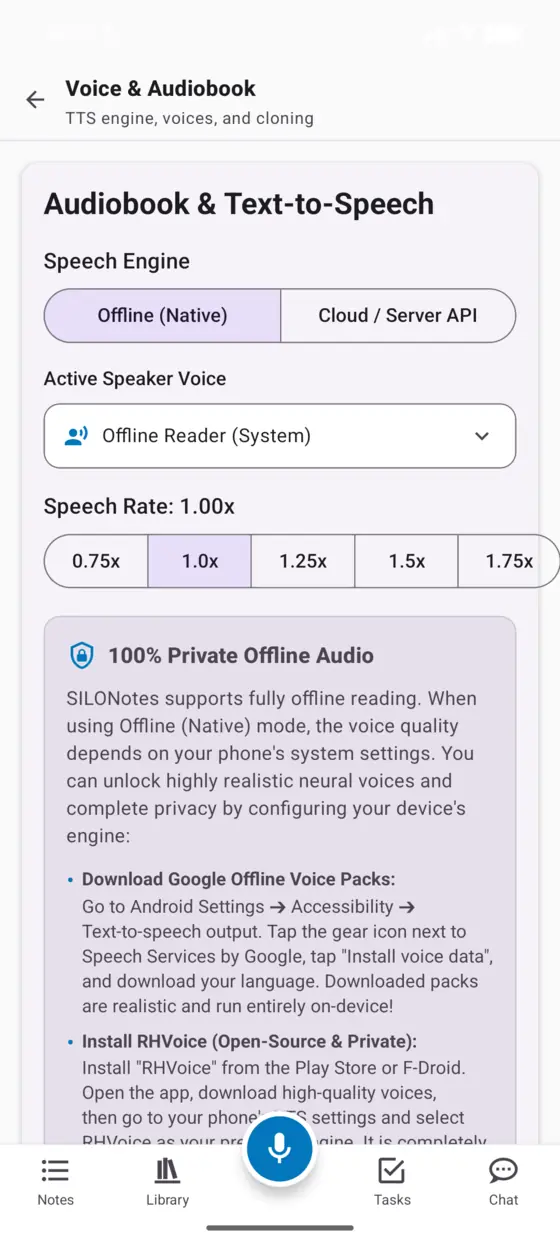
Audiobook playerHear any note or chapter read aloud, with a system voice or a speech server of your own.
Turn a note into a listen
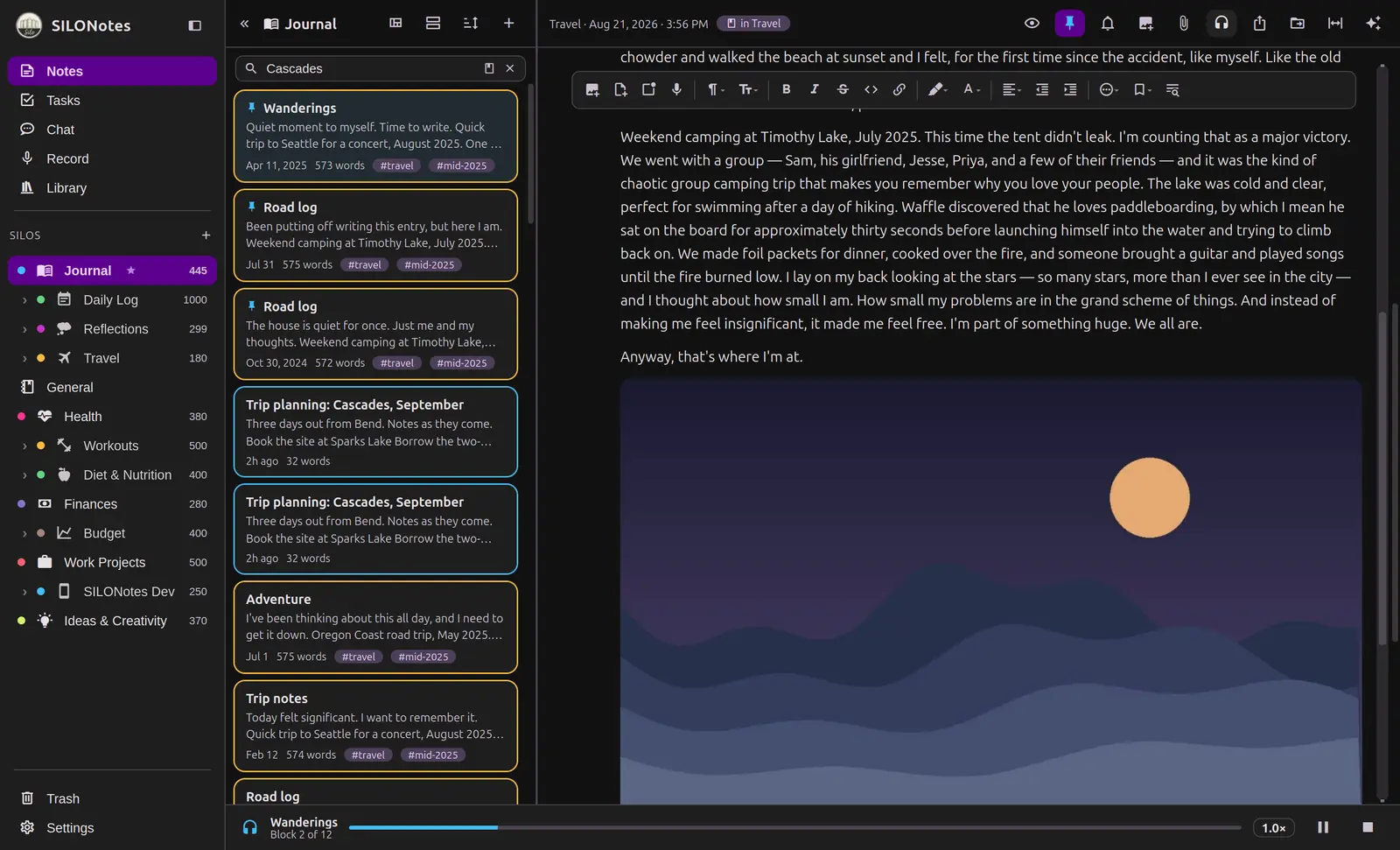
Send any note to a small player and keep working while it reads.
- A persistent player follows you around the app.
- Queue several notes for continuous listening.
- Adjust speed to your pace.
Voices you choose
Use the built-in system voice, or point at a speech server you host.
- The built-in voice needs no keys and works offline.
- Connect an OpenAI-compatible speech server on your network.
- If a speech server stops answering, SILONotes waits fifteen seconds, tells you, and reads on in the device voice.
- Cloned voice profiles travel with your backups.
Desktop and Mobile
Mac, Windows, LinuxThe same private library on your phone and your computer, with a few desktop comforts.
A real desktop app
HighlightNot a shrunken phone screen. A three-pane workspace built for a keyboard and a big display.
- Sidebar, note list, and editor side by side.
- A command palette and full keyboard shortcuts.
- Native menus and a window that remembers where it was.
Quick capture from anywhere
HighlightA global shortcut opens a small window to jot a thought without leaving what you are doing.
- Press the hotkey, type, and it saves to your default silo.
- A tray icon keeps capture ready in the background.
- The main window is one click away when you want the full app.
Built to be hardened
The desktop app is sandboxed, and your keys are stored with your operating system keychain.
- No account, no telemetry, and no background uploads.
- Optional at-rest encryption for the whole library is in development.
- The same private database format as the mobile app.
Backup, Sync and Portability
Open backupsYour library is a single portable file, and your devices keep each other in step without a server in the middle.
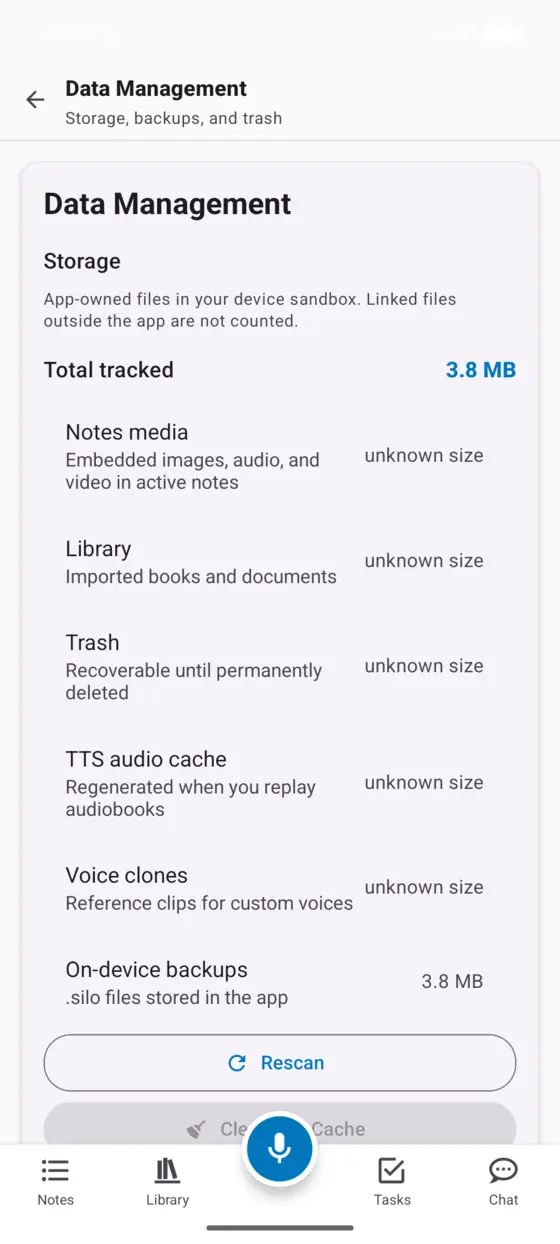
One portable file
HighlightExport everything into a checksummed .silo archive you can store anywhere.
- Notes, silos, media, highlights, voice profiles, and preferences in one file.
- Every file is verified on restore so a backup is never a mystery.
- Schema-versioned, so older backups keep restoring cleanly.
Move between phone and desktop
A backup made on one device restores on the other, media and all.
- Replace to make one device an exact copy of another.
- Merge to bring notes in while keeping what is only here.
- Media paths are rebuilt for the new device automatically.
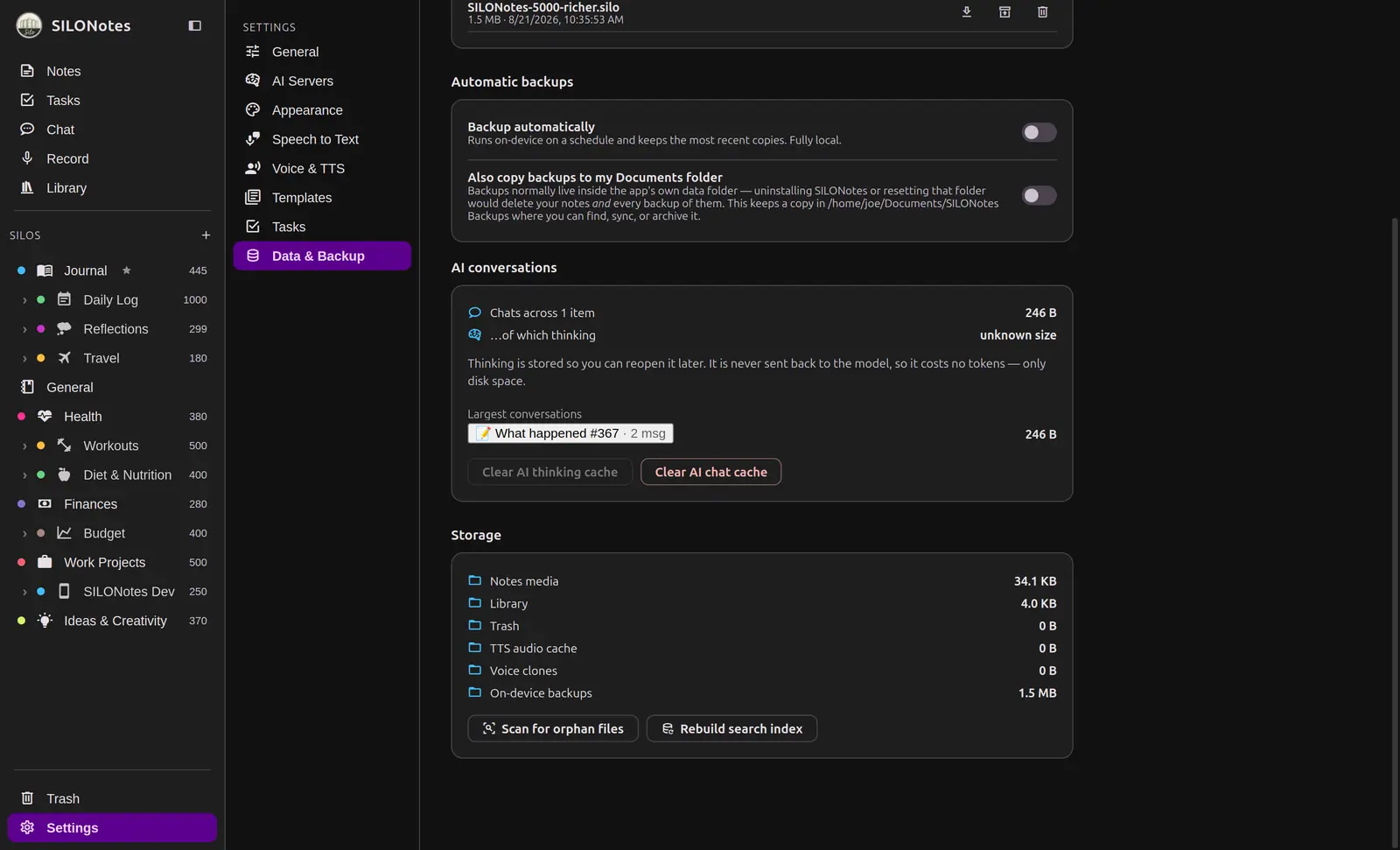
Automatic local backups
Desktop onlySet it and forget it, entirely on your own machine.
- Schedule regular backups and keep the most recent copies.
- Choose a full backup with media, or a lighter notes-only file.
- Everything runs on device, with nothing sent away.
Sync between your own devices
HighlightPhone and desktop stay in step through a folder you choose. There is no server in the middle and no account anywhere.
- Point both devices at the same folder, whether that is a cloud drive you already pay for or a cable and a memory stick.
- What travels through the folder is an encrypted archive, not loose notes.
- Edits to different parts of the same note merge on their own.
- When the same block changed on both sides, the losing version is kept as a copy in a Sync Conflicts silo rather than thrown away.
Fifty checkpoints per note
Every note quietly keeps its recent past, so an edit you regret is one restore away.
- Up to fifty snapshots per note, taken as you work and whenever you ask.
- A checkpoint is taken automatically before a restore overwrites anything.
- Restoring goes through the editor’s own undo, so a restore is itself undoable.
- History is device-local on purpose. It is not in a backup and it does not sync, and the app says so.
A backup with a password on it
Optional encryption for the archive itself, off until you turn it on.
- AES-256-GCM in chunks, with every media byte authenticated.
- A recovery key is shown to you once, and nobody here can recover the password for you.
- Archives made before you set a password stay importable forever.
- Both devices need it turned on to sync between them.
Bring notes in from another app
Phone onlyOn the phone, import a folder or zip of Markdown files, or a Google Keep export.
- Obsidian vaults, a Notion zip export, Bear, Logseq: anything that comes out as Markdown.
- Google Keep through Google Takeout.
- Imported notes land in a silo named after where they came from.
Privacy and Ownership
You own itOffline by default, transparent about the rest, and always yours to leave with.
Plain SQLite at the core
Storage you can copy, inspect, and trust for the long haul.
- Your notes are rows in an ordinary SQLite database, not a proprietary blob.
- Copy the file, open it with any SQLite tool, and read your own writing.
- A .silo backup is a zip with your notes as JSON and a checksum for every file.
- No account is required to use the app.
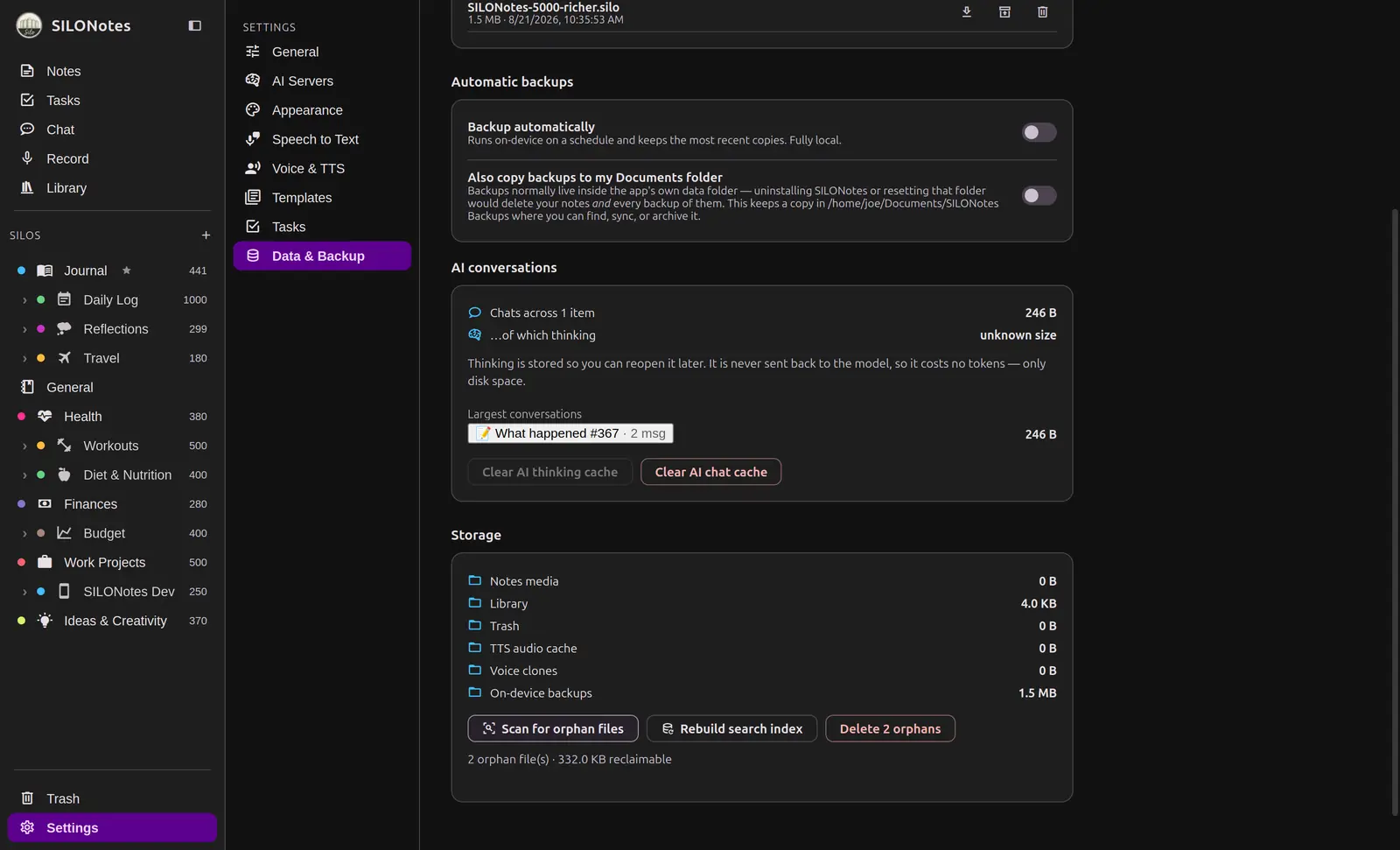
Clear about what leaves
HighlightYou always know the boundary, because you set it.
- Note text and audio never upload on their own.
- AI sends only what that one run needs, to the place you chose. Your library is never uploaded.
- SILO Sam searches on your device and sends at most five notes, and names them under the answer.
- No analytics kits and no marketing trackers in the app.
Free forever, with everything included
SILONotes is free, and it stays free. Every feature is available to everyone, and nothing is held back behind a paid tier. There are no seats, no trials, and no locked buttons.
No paywalls, no locked features
There is no SILONotes server
We do not run a model, a proxy, or a service your writing passes through, and there is no hosted plan to buy. When you use AI, the request goes from your device to the place you chose: a model on your own machine, or a provider you already have an account with. Nothing is held back waiting for a paid tier to exist.
Your model, your keys, your call
Want the whole thing?
Join the waitlist and be first to know when SILONotes opens.
Your email is stored in a private database and is never sold or shared.